TP-Link Deco
- 2.27K
- 4.2
- Installs
- 500.00M
- Version
- Varies with device

Screenshots
Introduction: Redefining Home Wi-Fi with Mesh Technology
In the modern smart home, a stable and expansive Wi-Fi network is no longer a luxury but a necessity. TP-Link Deco, a line of mesh Wi-Fi systems, has emerged as a game-changer for users frustrated by dead zones, buffering, and complex setups. Unlike traditional routers that struggle to cover larger spaces, Deco utilizes a decentralized approach—multiple nodes working in harmony to blanket your home in seamless connectivity. Whether you’re streaming 4K video, gaming competitively, or managing IoT devices, this app puts powerful network control right in your pocket, combining user-friendly design with robust performance.
Effortless Setup and Sleek Interface
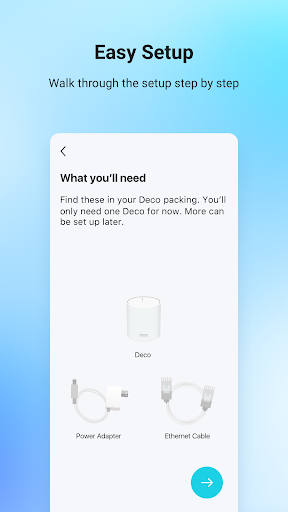
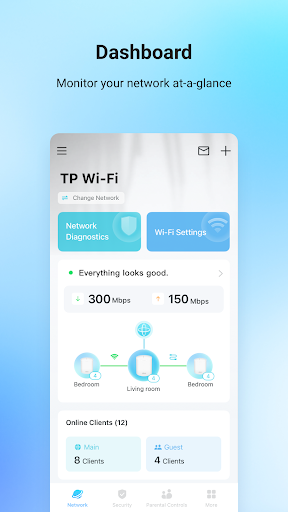
One of Deco’s standout features is its incredibly simple installation process. The app guides you through every step with clear, intuitive visuals—no technical expertise required. From unboxing to a fully operational network, you can be online in under 10 minutes. The interface itself is a model of clarity, displaying a dashboard that shows network status, connected devices, and signal strength at a glance. This eliminates the jargon-filled menus common in router apps, making it accessible even for novices. The app’s ability to auto-detect optimal node placement via an “ideal location” guide further reduces guesswork, ensuring coverage is prioritized from the start.
Comprehensive Parental Controls and Network Management
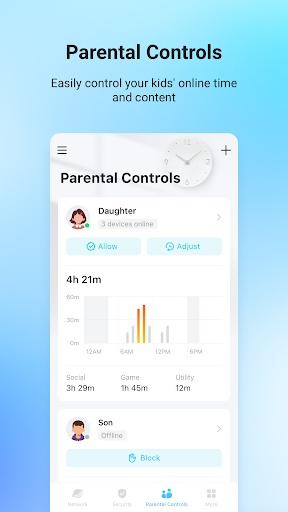
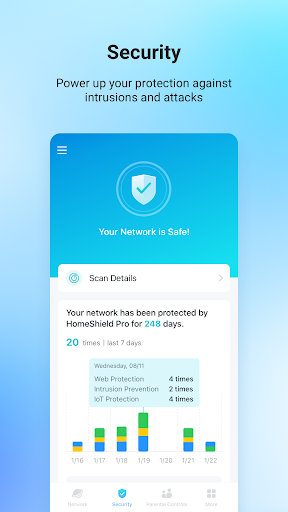
For families, Deco offers a robust suite of parental controls that rival premium competitors. You can create individual profiles for family members, setting time limits, content filters, and scheduled internet access. This granularity extends to pausing Wi-Fi for specific devices—like during dinner or homework time—directly from the app. Additionally, the “Priority” feature allows you to allocate bandwidth to specific devices, such as a gaming PC or work laptop, ensuring lag-free performance when it matters most. These tools empower users to manage digital habits without technical headaches, all while maintaining a secure network through automatic firmware updates and encryption.
Advanced Performance and Troubleshooting Tools
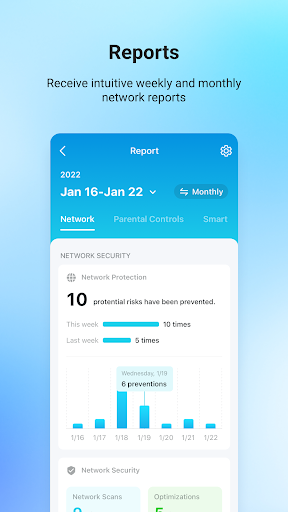
Deco doesn’t just set and forget; it provides deep insights into network health. The built-in speed test, device usage history, and signal analyzer help you identify bottlenecks or interference sources. If an issue arises, the app offers diagnostic tools like “network optimization” that automatically adjusts channels to reduce congestion. For tech-savvy users, advanced settings—such as VPN support, guest network customization, and IP/MAC binding—are tucked away but accessible, striking a balance between simplicity and depth. The real-time notifications for device connection changes or firmware updates keep you informed without overwhelming you, fostering a proactive approach to network maintenance.
Competitive Edge: Scalability and Multi-Platform Integration
Compared to competitors like Google Nest Wifi or Eero, Deco’s key advantage lies in its scalability. You can mix and match Deco models (e.g., Deco X20 with M5) without sacrificing performance, thanks to backward compatibility across the product line. This flexibility allows you to start with a budget-friendly system and expand as needs grow. Moreover, the app integrates seamlessly with Amazon Alexa and Google Assistant, enabling voice commands like “pause Wi-Fi in the living room” or “optimize network for streaming.” For multi-device households, this integration elevates convenience, while the AI-driven “Mesh Intelligence” feature proactively learns usage patterns to route traffic efficiently—a feature that sets it apart in the sub-$300 market.
Final Verdict: A Must-Have for Modern Homes
TP-Link Deco is more than just a router app; it’s a holistic network management platform that evolves with your lifestyle. Its blend of dead-simple setup, robust parental controls, and advanced troubleshooting tools makes it a top choice for families, remote workers, and tech enthusiasts alike. While other apps might offer similar features, Deco’s consistency across devices, intuitive design, and scalability give it a clear competitive edge. If you’re tired of spotty connections or complex router interfaces, download Deco today—it might just be the final piece of your smart home puzzle. After all, a great network starts with great software, and Deco delivers that effortlessly.


