Microsoft Defender
- 1.61K
- 4.5
- Installs
- 240.00M
- Version
- Varies with device

Screenshots

Introduction
In an era where digital threats evolve faster than ever, the line between convenience and security in mobile life grows increasingly blurred. Enter Microsoft Defender—a mobile security app that extends the trusted protection of the Windows empire to the palm of your hand. Designed initially for Android, and now available for iOS, Microsoft Defender is not just another antivirus tool; it’s a comprehensive threat defense system that integrates seamlessly with the Microsoft ecosystem while offering robust protection against malware, phishing, and identity theft. This review dives into what makes Microsoft Defender a standout choice in the crowded mobile security market.
Seamless Integration with Microsoft Ecosystem
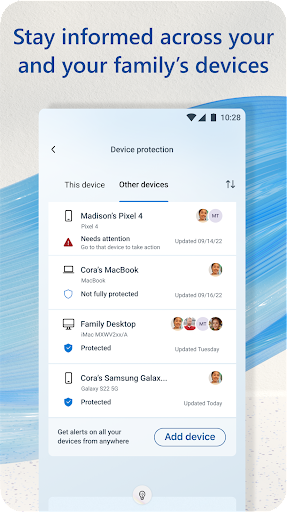
One of the most compelling reasons to choose Microsoft Defender is its deep integration with Microsoft 365 and other Microsoft services. If you’re already using Outlook, OneDrive, or Teams, this app feels like a natural extension. The dashboard displays real-time security status for all your linked Microsoft accounts, including suspicious login attempts or unusual activity. This unified approach eliminates the need to juggle multiple apps for identity protection and device security, making it a one-stop shop for privacy-conscious users. For businesses using Intune or Azure AD, IT administrators can enforce policies remotely, adding an enterprise-grade layer of security without compromising user experience.
Powerful Malware and Phishing Protection
At its core, Microsoft Defender delivers exceptional malware detection powered by the same engine used in Windows Defender, one of the most trusted security solutions globally. It automatically scans installed apps and files for malicious code, and its real-time protection blocks threats before they can execute. However, what truly sets it apart is its advanced phishing protection. The app integrates with your browser to block suspicious links in emails and websites, alerting you instantly if a site tries to steal your credentials. This feature is particularly valuable in an age where spear-phishing attacks on mobile devices are skyrocketing. For Android users, Microsoft Defender also offers a smart VPN feature that encrypts internet traffic when using public Wi-Fi, reducing risks in coffee shops or airports.
Privacy-First Focus and Identity Monitoring
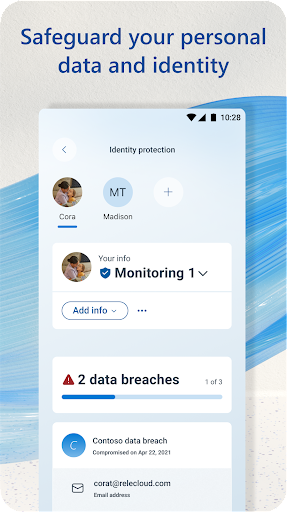
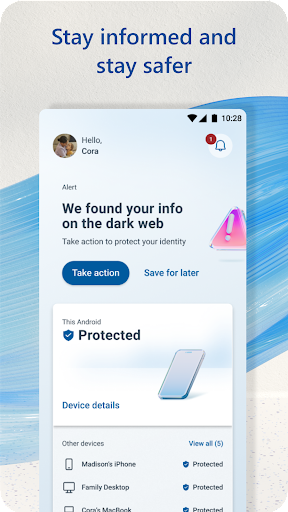
Privacy is the cornerstone of Microsoft Defender’s design. Unlike many free antivirus apps that monetize your data through ads or third-party sharing, Microsoft Defender operates on a strict no-tracking policy. It does not collect personal browsing history or app usage data beyond what is necessary for threat detection. The app also includes an identity monitoring tool that scans the dark web for your email addresses and credentials, alerting you if your information appears in a data breach. This is a premium-level feature that’s often gated behind subscriptions in other apps, but Microsoft Defender includes it as part of its free tier for Microsoft 365 subscribers. For individual users, the app offers a comprehensive privacy dashboard that shows which apps have access to sensitive permissions like camera, location, or contacts, helping you audit and revoke unnecessary access.
User Experience and Performance
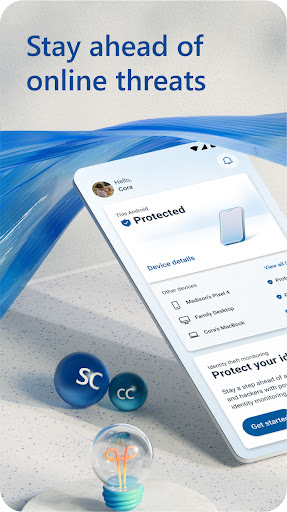
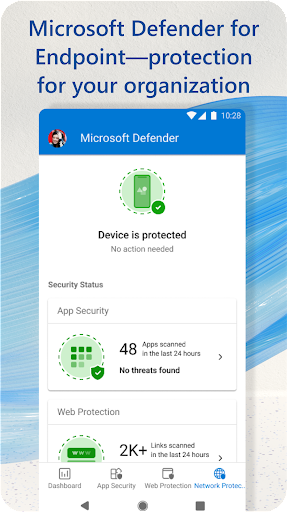
Microsoft Defender’s interface is clean, intuitive, and distraction-free. Upon setup, it guides you through a quick security check, identifying any vulnerabilities like outdated operating system or risky app permissions. The home screen displays three key metrics: security status, identity health, and device performance. Unlike some antivirus apps that bog down system resources with constant background scans, Microsoft Defender runs efficiently in the background, with minimal impact on battery life or CPU usage. On Android, it even includes a “Scan for Apps” button that performs on-demand checks, while on iOS, it leverages Apple’s limited sandboxing capabilities to focus on web protection and identity alerts. The app also supports multiple languages, making it accessible to a global audience.
Competitive Pricing and Value
Perhaps the most attractive aspect of Microsoft Defender is its pricing model. The app is completely free for Android users—without ads or upselling triggers. For iOS, you need a Microsoft 365 subscription (Family or Personal), but this is a modest cost that bundles Office apps, cloud storage, and now mobile security. Compared to standalone competitors like Norton or McAfee, which require yearly subscriptions of $30 to $100, Microsoft Defender provides comparable—if not superior—protection at no additional cost if you already use Microsoft 365. For businesses, the app integrates seamlessly with Microsoft 365 Business licenses, offering centralized management without extra fees. This value proposition makes it an irresistible choice for both individuals and organizations looking to fortify their mobile defenses without breaking the bank.
Conclusion: A Smart Choice for the Microsoft Loyalist
Microsoft Defender is more than just a security app; it’s a testament to Microsoft’s commitment to creating a safer digital environment for all users. Its seamless integration with Microsoft services, robust malware and phishing protection, privacy-first ethos, and transparent pricing make it a top contender in the mobile security space. While it may lack some advanced features like mycelium-level ransomware detection or parental controls found in dedicated suites, its core functionality is more than sufficient for the average user. If you live within the Microsoft ecosystem, downloading Microsoft Defender is a no-brainer. For those on the fence, a single identity theft alert from its dark web monitoring might just be the push you need.


