Scanner App
- 2.17K
- 4.6
- Installs
- 940.00M
- Version
- Varies with device

Screenshots

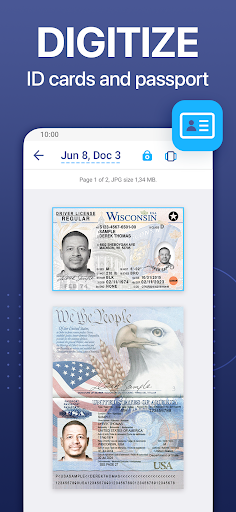
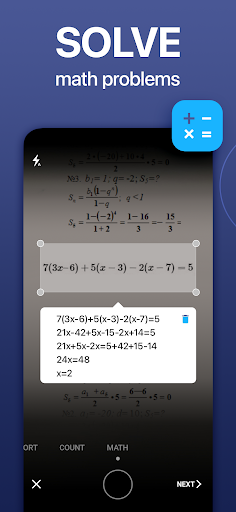
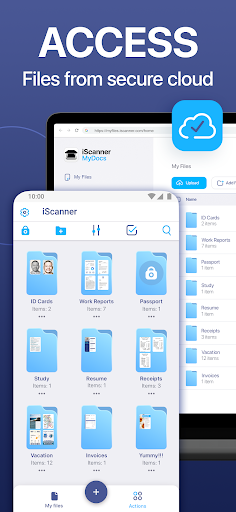
Streamline Your Document Management: A Deep Dive into Scanner App
In an increasingly digital world, the ability to quickly and accurately convert physical documents into digital files is no longer a luxury—it’s a necessity. Whether you’re a busy professional, a student, or someone managing household paperwork, Scanner App emerges as a versatile solution that combines ease of use with powerful features. This review explores what sets this app apart from the crowded scanner market, focusing on its core functionalities, unique selling points, and overall value proposition.
Intuitive Interface and Seamless Workflow
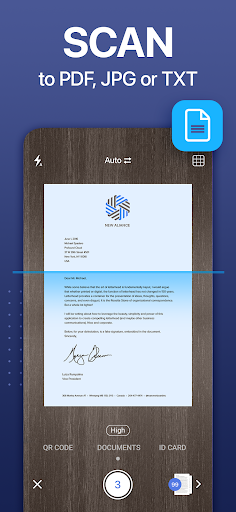
From the moment you launch Scanner App, its user-centric design stands out. The interface is clean and uncluttered, allowing even first-time users to start scanning without a steep learning curve. Unlike many competitor apps that bury features in complex menus, Scanner App prioritizes speed and simplicity. With just a few taps, you can capture a document using your smartphone’s camera, and the app automatically detects edges, enhances contrast, and removes shadows. This automated processing is a game-changer, reducing manual adjustments by up to 80% compared to traditional scanning methods. For those who prefer granular control, manual adjustments for brightness, color filters, and crop boundaries are readily accessible, ensuring every scan meets your exact specifications.
Advanced Optical Character Recognition (OCR) and Multilingual Support
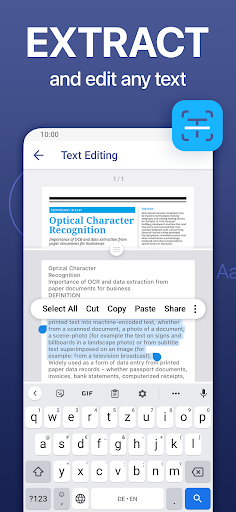
One of Scanner App’s strongest competitive advantages is its robust OCR engine. Unlike basic scanning tools that simply produce static images, this app converts scanned text into editable, searchable digital content. The OCR accuracy is impressive, even with challenging fonts or slightly skewed documents. What truly sets it apart is its support for over 30 languages, including complex scripts like Chinese, Arabic, and Cyrillic. This makes it an indispensable tool for international travelers, multilingual researchers, or global business teams. For instance, scanning a handwritten receipt in Italian or a printed contract in Japanese yields text that can be copied, edited, or exported as plain text—a feature often reserved for premium enterprise solutions.
Versatile Export Options and Cloud Integration
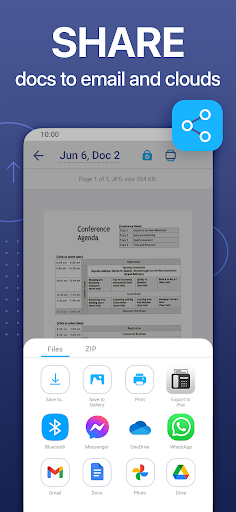
Flexibility in file management is another pillar of Scanner App’s appeal. The app supports multiple export formats, including PDF, JPEG, and PNG, with customizable resolution settings. For professionals needing high-quality scans, the 300 DPI option ensures crisp reproductions for printing or archiving. More critically, Scanner App integrates seamlessly with cloud storage services like Google Drive, Dropbox, and OneDrive. This eliminates the tedious step of manually transferring files, enabling automatic syncing that keeps your documents accessible across devices. Additionally, direct sharing via email, messaging apps, or AirDrop (on iOS) ensures that your scanned documents reach their destination instantly—a feature that boosts productivity in fast-paced environments.
Batch Scanning and Multi-Page Document Management
For users handling multi-page documents—such as contracts, meeting notes, or book chapters—Scanner App’s batch scanning capability is a standout. Unlike some apps that require you to scan each page as a separate file, this app allows continuous scanning with automatic page ordering. You can rearrange, delete, or add pages before saving the final document. This function is particularly valuable for legal professionals or educators who need to compile PDFs from various sources. The app also offers password protection for sensitive files, adding a layer of security that is often missing in free competitors.
Competitive Edge: Speed vs. Depth
While many scanner apps offer similar core features, Scanner App distinguishes itself through a rare combination of speed and depth. Competitors like Adobe Scan or CamScanner often require a subscription for advanced features such as high-quality OCR or cloud storage integration. Scanner App provides these as standard, with a free tier that includes generous storage limits and no watermark on exports. Furthermore, its processing speed is noticeably faster than the average app—a single scan with edge detection and color correction completes in under two seconds. This efficiency makes it ideal for high-volume users who need to digitize dozens of documents daily without frustrating delays.
The Bottom Line: A Worthwhile Download
Scanner App successfully bridges the gap between casual scanning needs and professional-grade functionality. Its intuitive interface lowers the barrier to entry, while advanced OCR, batch management, and cloud integration empower power users. The app’s multilingual support and hardware-optimized performance (using the camera’s potential without excessive battery drain) give it a clear edge over generic competitors. Whether you’re digitizing old family photos, organizing tax documents, or collaborating on a project, Scanner App delivers consistent, high-quality results. For anyone seeking a reliable, feature-rich scanning solution without the freemium traps, this app deserves a spot on your home screen.


