Binge for Android TV
- 1.17K
- 4.3
- Installs
- 810.00M
- Version
- Varies with device

Screenshots




Pros
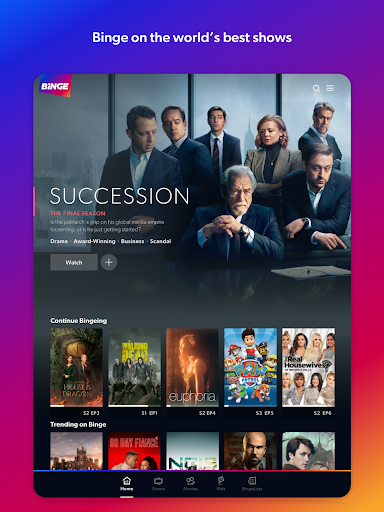
Binge for Android TV offers a vast, premium on‑demand library, bringing current and classic TV series and movies from major studios (including HBO and other premium partners) alongside local favorites. The platform centralizes high‑quality entertainment so you can quickly find headline shows, new releases, and curated collections in one place.
The Android TV app is designed for big‑screen viewing with an intuitive remote‑friendly interface, fast navigation, and reliable playback. Adaptive streaming delivers smooth HD and select 4K playback on supported devices, while features like resume watching and an organized home screen make binge‑watching simple and enjoyable.
Binge personalizes the viewing experience with tailored recommendations, multiple profiles, and a watchlist so each household member can save and pick up content easily. Subscription management is straightforward with flexible plans and easy account control, making it simple to start, upgrade, or cancel without hassle.
Cons
Binge is available only in Australia, so the Android TV app is geo-restricted. Users outside Australia cannot access the service, which limits usefulness for travelers or expatriates. Local licensing and subscription rules also mean the library is smaller and more regionally focused than global competitors like Netflix or Prime Video.
The Android TV app lacks several features available on Binge's mobile and web versions. There are no offline downloads on TV, profile personalization is limited, and subtitle and audio language options can be sparse. These omissions reduce convenience and make the TV experience feel less tailored than competing streaming apps.
Playback performance on Android TV can be inconsistent. Users may experience buffering, app crashes, or downgraded video quality on unstable networks or older devices. Additionally, not all titles stream in HD or 4K, and Binge's rotating catalog can mean popular shows leave the platform sooner than expected.


